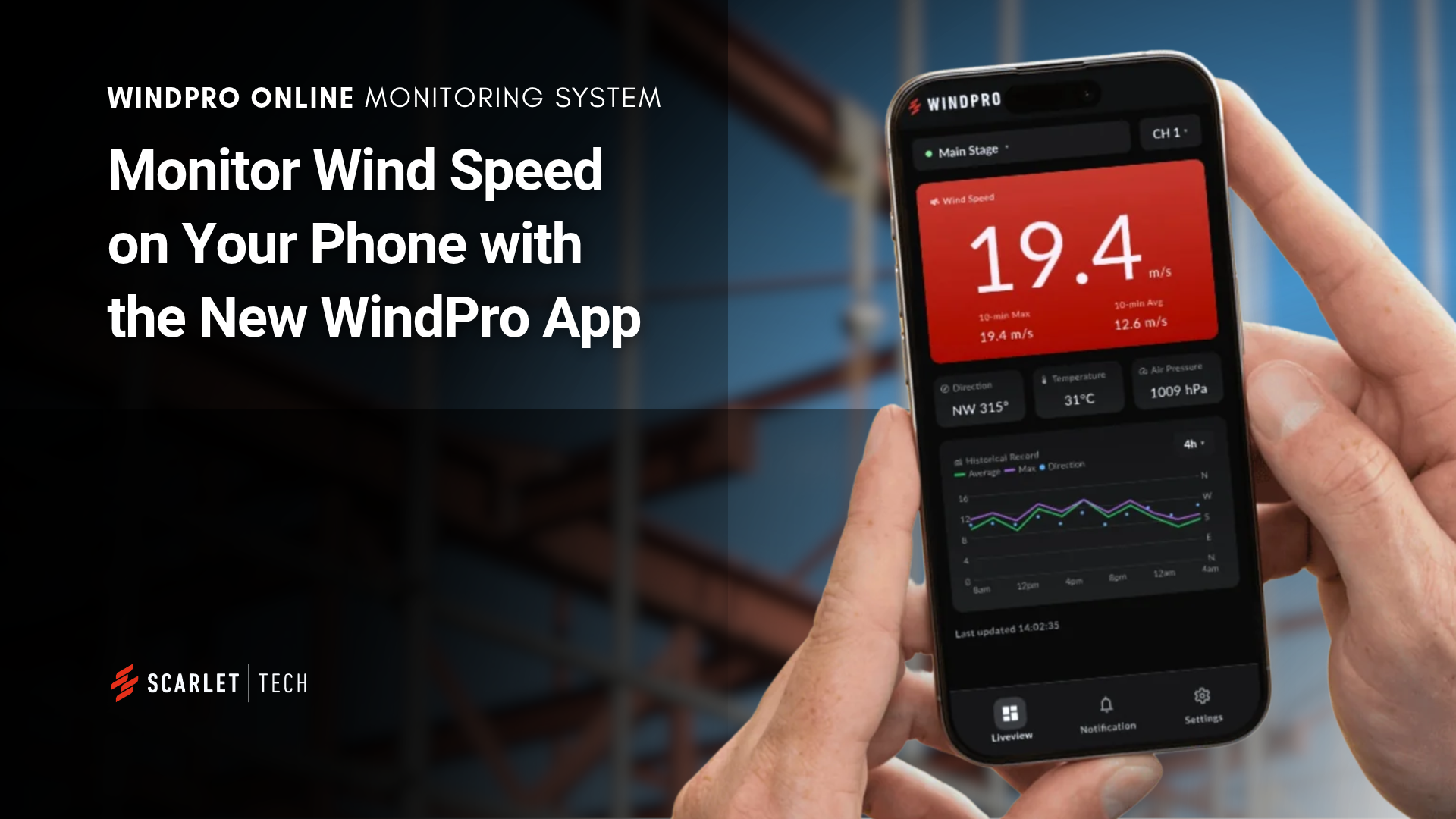
Wind conditions can change quickly, and knowing what’s happening at your worksite matters, even when you’re not there. With Scarlet Tech’s new WindPro App, you can monitor wind speed on your phone, wherever you are.
Designed to work with WindPro Online, the app brings remote wind monitoring to iOS and Android. View live readings, review historical data, and receive wind speed alerts without needing to be on site.
Introducing the WindPro App for Remote Wind Monitoring
Whether you’re managing a construction site, crane operations, or multiple locations, the WindPro App helps you stay connected to your wind monitoring devices. Sign in with your WindPro Online account to access the same connected monitoring system from your phone.
Key Features of the WindPro App
From checking current conditions to managing multiple devices, the app puts essential wind monitoring information in one place.
1. Monitor Live and Historical Wind Conditions
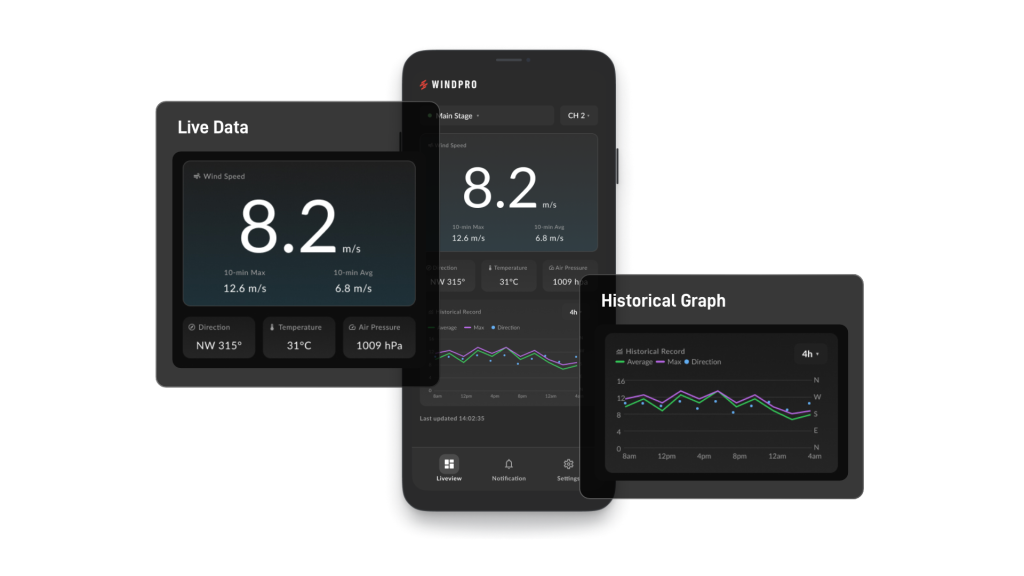
View live wind speed and direction, along with temperature and air pressure readings. Access historical measurements to review how conditions have changed over time.
2. Receive Wind Speed Alerts
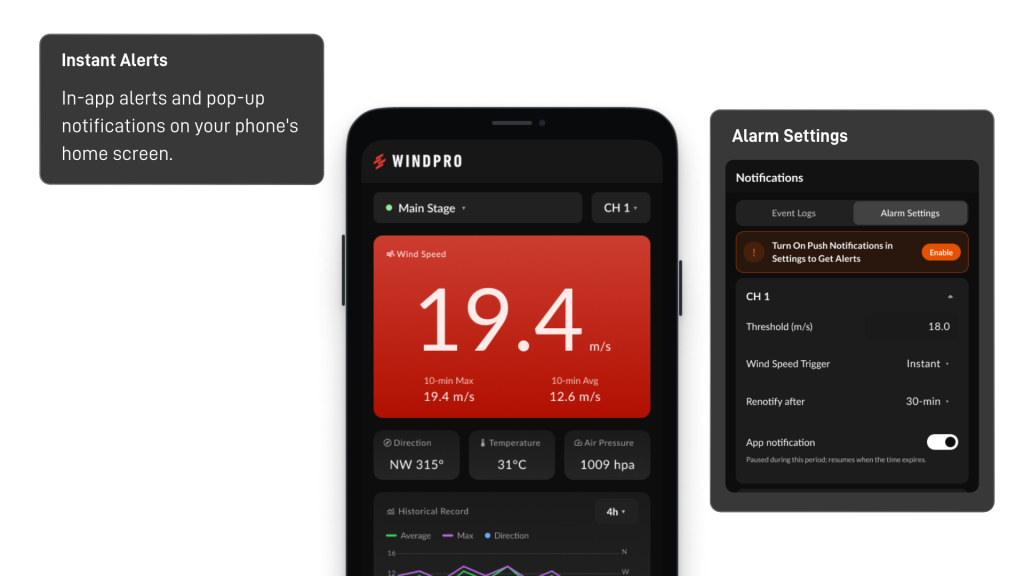
Set wind speed thresholds to suit your site’s monitoring needs. When measured wind speed reaches a configured limit, the app can notify you so you can assess conditions and respond promptly.
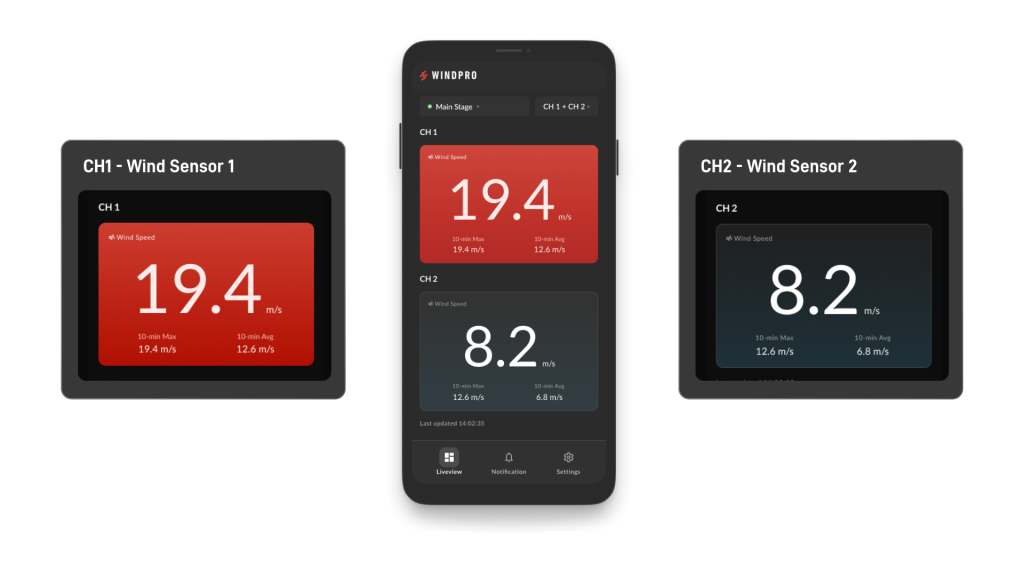
3. Compare Readings from Two Wind Sensors
If your WindPro device is connected to two wind sensors, the app displays readings from both channels. Compare measurements from different points on the same worksite without switching devices.
4. Monitor Multiple WindPro Devices
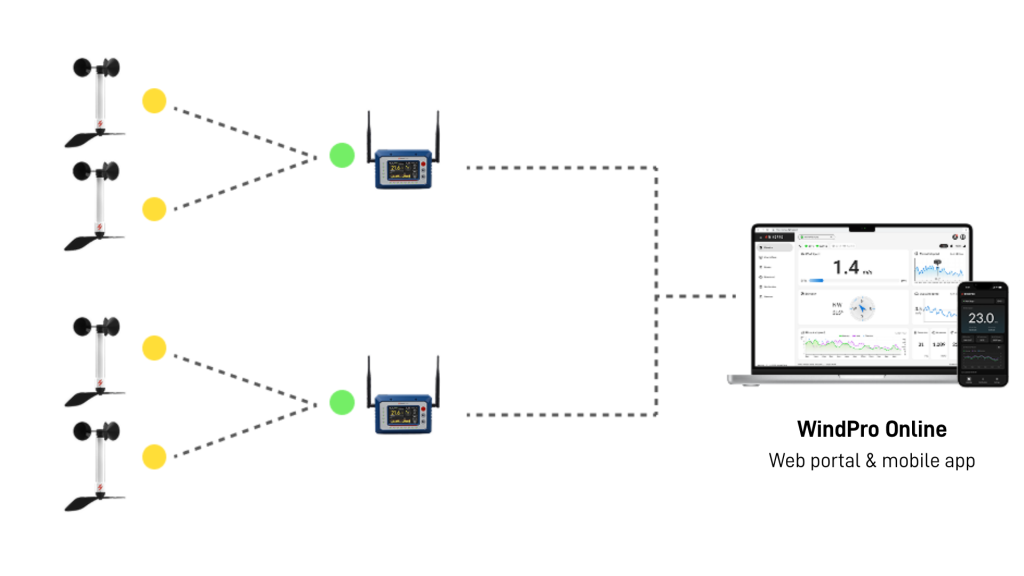
Manage multiple WindPro devices through a single account and switch between them in the app. It’s a convenient way to check wind conditions across several monitoring points or worksites.
Keep Your Worksite Wind Data Within Reach
From a single monitoring point to multiple sites, the WindPro App makes it easier to access wind data when you’re away from the worksite. Combined with WindPro Online, it gives your team another way to monitor conditions and stay informed about changing wind speeds.